VaultScan
Steam inventory analytics
for your gaming sessions.
Know who you are playing with and what their inventories are worth. Player discovery, party detection and session history in one desktop app.
Sign-in on discord.com. Payments by Paddle. Windows 10/11.
Features
Everything about the lobby, at a glance
Built for players who want context, not clutter.
CS2 player discovery
See every player on your server the moment you join, through Counter-Strike 2 Game State Integration.
Dota 2 party detection
Party members are grouped automatically, so you know who queued together before the draft starts.
Inventory values
CS2, Dota 2 and Rust inventories priced in seconds, with totals you can compare across the lobby.
Session history
Servers, parties and scans are kept so you can look back at any match you played.
Signed updates
Every release is Ed25519-signed and checked before install. The previous version is always kept.
Your devices, your control
See which PCs use your subscription and sign any of them out from the account portal.
How it works
Ready in four steps
- 1
Sign in with Discord
One click, on discord.com. VaultScan never sees your password.
- 2
Choose a plan
Secure checkout by Paddle, our Merchant of Record.
- 3
Download the launcher
A small Windows app that keeps VaultScan up to date.
- 4
Launch VaultScan
The launcher checks your subscription and starts the latest version.
Supported games
Made for the games you already play
Counter-Strike 2
- Player discovery
- Inventory values
- History
Dota 2
- Party detection
- Inventory values
- History
Rust
- Inventory values
Product
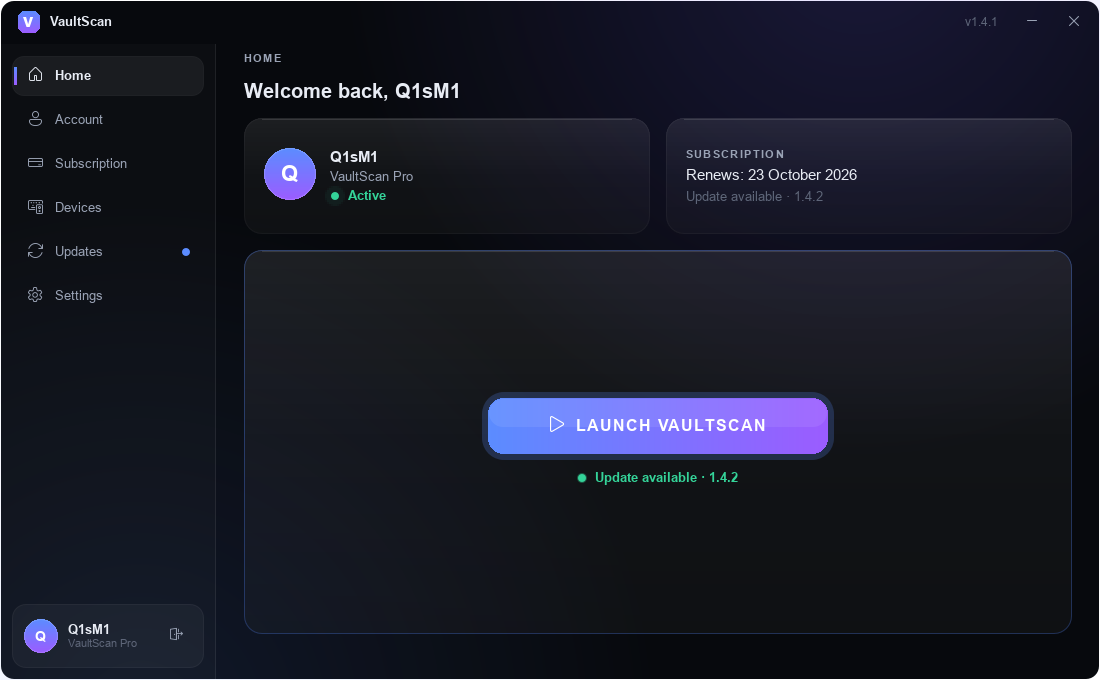
A launcher that stays out of your way
Subscription, devices and updates are handled before you press Launch.
Subscription status and one-click launch.
Pricing
One plan. Everything included.
All features, all supported games. Cancel anytime from your account.
Prices include applicable taxes where required. Payments are processed by Paddle.com, our reseller and Merchant of Record.
Download
Get the VaultScan Launcher
VaultScan Launcher
Windows 10/11 · 64-bit. Sign in with the same Discord account.
Available soon
FAQ
Questions, answered
What is VaultScan?+
A Windows companion app for Steam games. It shows who is in your match, what their inventories are worth and keeps a history of your sessions.
Which games are supported?+
Counter-Strike 2 and Dota 2 for player and party insights, plus inventory values for CS2, Dota 2 and Rust.
Why Discord sign-in?+
No new password to remember. Sign-in happens on discord.com in your browser; VaultScan only receives your Discord ID, name, avatar and, if verified, your email.
How many PCs can I use?+
Each plan includes a fixed number of devices, shown with the plan. You can remove a device at any time from your account.
Does it work offline?+
For a short time. After a successful check the launcher can start VaultScan offline for up to 24 hours.
How do I cancel?+
Open your account, choose Manage Subscription and cancel in the Paddle customer portal. Access stays active until the end of the paid period.
What are the system requirements?+
Windows 10 or 11 (64-bit) and an internet connection for sign-in and updates.
Privacy
Minimal data, by design
What we store
Your Discord ID, username and avatar, your email only if Discord marks it as verified, your subscription status and the devices you sign in on.
What we never store
Passwords, Discord access tokens (revoked right after sign-in) or payment card details. Payments are handled entirely by Paddle.
Your devices
A device is a random ID created by the launcher. There is no hardware fingerprinting, and you can remove any device yourself.
Your sessions
Sessions are stored as hashes, rotate on every refresh and can be signed out everywhere with one click.